An independent guide from D.O.C. for comics. D.O.C. is not affiliated with or endorsed by SiriusXM or any platform named here.
Starting a comedy podcast: the short version
Your microphone doesn’t need a radio slot. A comedy podcast needs a clear promise, a quiet room, the phone or computer you already own, free editing software, a podcast host with an RSS feed, and a release schedule you can keep. This playbook takes you from an idea to a published episode, and gives you a routine for the next one.
Platform steps read on each platform’s own help pages on 8 October 2026. The workflows and schedules here are D.O.C.’s guidance, not platform rules. Free-first assumes you already have a working phone or computer and internet access.
If you already have a comedy podcast, keep its feed and channels. You don’t need a new show or a new host to get a D.O.C. listing: check your links, freshen the description and artwork, then use the listing builder.
Starting from nothing? Pick the route that fits how you work.
Record on the phone or computer you already own, edit with Audacity if you need to, and publish through a podcast host. Turn on its RSS feed and submit it to the listening apps. Start here if video would slow you down.
Three different jobs. Your recorder makes each comedy podcast episode. Your host stores the audio and gives you the RSS feed, the web address podcast apps use to find new episodes. D.O.C. helps people discover your show and sends them to your channels.
Not sure a podcast is right for you yet? Should a comedian podcast? gives the short answer from the D.O.C. book: what a show gives a comic, and what it costs in time and material.
02 · Make a promise
Why should someone listen again?
Finish this sentence: “This is a show for ______ who want ______.” A clear promise is easier to explain than “two comics talk about whatever.” You can still be spontaneous; you’re giving listeners a reason to choose your comedy podcast.
Comedy podcast formats
Format
A repeatable structure
Watch for
Solo comic
Opening bit → one subject → a listener question
Wandering without a point
Two hosts
Recurring segment → main conversation → wrap-up
Talking over each other
Guest interviews
Guest introduction → a specific story → a useful takeaway
Booking guests becoming the whole job
Comedy craft
A writing problem → your process → an example you own
Giving away material you still want to test
Choose a comedy podcast name people can spell and search, and check for shows with a confusingly similar name. Write a short description that names the hosts, the subject and the tone. Decide whether the show is clean or carries explicit material.
For a pilot, 15–30 minutes is a manageable starting target. That’s a suggestion, not a rule: if ten minutes delivers the promise, stop at ten. Make three private test episodes before you commit to an ambitious schedule.
03 · Use what you have
A quiet room beats a shopping cart.
A comedy podcast starts in a small, soft room with curtains, carpet or furniture. Turn off noisy fans where you can, silence notifications and close the door. Record a short sample and listen on headphones before you record the whole episode.
Comedy podcast setups you may already own
Setup
Use it this way
What it costs
The phone you have
Use its recorder; keep it steady and close enough for clear speech. Test for handling noise.
Nothing new, if it records usable audio
Your computer and a microphone
Record and edit with Audacity. Check the right microphone is selected.
Audacity is free; hardware may cost extra
Video on the phone you have
Put it on a steady support, face a window, and test the sound before you worry about the background.
Storage, data and any added gear are yours to cover
A remote guest
Each person records their own voice locally while you talk on a call. Combine the files afterwards.
Free-first, with more editing work
For remote guests, everyone wears headphones so the call doesn’t leak into their microphone. Clap once together at the start as a rough sync point. Keep the call recording as a backup where everyone has agreed to it. Local recordings can drift, so check the alignment later in the episode too.
For two people in one room, test whether one recorder hears you both clearly. Separate microphones and tracks make editing easier, but find out what problem you’re solving before you buy anything. The six comedy podcast studio setups further down go from no purchases at all to a staffed studio.
A running order keeps a comedy podcast moving without taking the spontaneity out of it. Five lines are enough:
Opening: What will the listener get today?
Introduction: Who is speaking, and why this topic?
Main segment: Three points or stories, with room for jokes.
Recurring segment: A listener question or your own short bit.
Close: One clear action — follow, share or see a live show.
Get your guest’s agreement to record, to publish and to use promotional clips. Confirm how they spell their name, their links and any subjects they’d rather leave alone.
Check free storage, power, which microphone is selected and the recording level. Laugh as loudly as you expect to during the show, and turn the input down if the meter clips.
Record a short test. Listen back for hiss, echo, distortion and missing voices.
Start recording, leave a few seconds of quiet room sound, then begin. If you stumble, pause and restart the sentence; you can cut the mistake later.
Save the original recording before you edit. Keep the original, the project and the final export together in one folder for the episode.
A comedy podcast needs original material, and media you have permission to publish. A song being online isn’t permission to use it as your theme. If the permission is unclear, leave it out.
05 · Make it listenable
Fix distractions. Keep the personality.
Bring your recordings into Audacity, line up the tracks and listen from beginning to end. Remove false starts, long setup delays and technical interruptions. A comedy podcast lives on timing: keep the pauses that make a joke work, and don’t cut every breath.
Balance the voices so listeners don’t keep reaching for the volume. Use noise reduction gently, after testing it on a short section; heavy processing can make speech sound metallic. Editing can’t reliably repair distortion, so re-record the damaged section where you can.
Save your editable project separately from the file you upload: in Audacity the project and the exported audio are different things. Use the export command to make an MP3, or another format your host accepts, and keep an uncompressed WAV master where practical.
For a speech-only comedy podcast with nothing in stereo, mono can be a sensible export. Follow your host’s current encoding and loudness guidance rather than guessing one setting for everyone. Before you upload, listen to the finished file on headphones and on a phone speaker.
Spotify for Creators offers free podcast hosting, and you can use it as your comedy podcast’s host while D.O.C. stays a directory. If you already have a host that works, keep it.
Create the show with its title, description, artwork and content rating.
Upload the finished episode. Give it a clear title, useful notes and the right explicit-content setting. Preview, then publish or schedule.
With Spotify hosting, publishing your first episode creates the feed. Find it under Settings, then Availability, then RSS Distribution.
Enable the feed if you want other podcast apps to carry the show, then submit it to each of them yourself: Spotify says it doesn’t distribute to them automatically.
Use a show email address you can always get into. Spotify notes that enabling the feed makes its email address public.
Test the published episode in a signed-out browser and, once each app has approved the show, in that app.
Apple Podcasts takes shows through an RSS feed and its own submission process; read its current requirements before you submit. After the first setup, you publish new episodes through your host, and the apps pick them up from the feed.
In YouTube Studio, create a podcast, or turn an existing playlist into one. Add the show’s title, description, square thumbnail and visibility, then add your full comedy podcast episodes to that playlist. On YouTube each episode is a video, and YouTube’s help says an MP3 can’t be turned into a podcast there, so record video or make a video version of the audio.
Keep promotional Shorts out of the full-episode playlist. An audio feed and a YouTube channel are separate destinations, so check both each time you publish. YouTube also offers RSS delivery in some countries and regions; use its own instructions if that suits your show.
Give your comedy podcast a square show image that reads at thumbnail size, keep a high-resolution original, and check each platform’s current size rules. Episode notes tell people what they’ll hear, name the guests and give their official links. Add timestamps where they help people find their way.
Episode title: A specific subject people will understand
Summary: What happens in this episode, in two clear sentences
Guest: Name + official page
Chapters: Timestamp + topic
Find us: Show channel + live dates + support link
Credits: Music and artwork permissions, and contributor credits
07 · Make it easy to find
Give every mention one clear destination.
Make a short trailer that says what your comedy podcast is, who it’s for and where to follow it. Launch with a finished episode and a realistic date for the next one. Two finished episodes in reserve help you keep the schedule when the gigs get busy.
Put your comedy podcast’s link in the social profiles and the performer website you already have.
Send each guest a ready-to-share link, an image and a short description, and ask them to share it.
The comedy podcast listing builder makes a submission for D.O.C. to read. Nothing is published automatically.
08 · Make episode two happen
Choose a schedule your life can support.
A weekly comedy podcast only helps if you can keep it up. Every other week, monthly or a clearly announced season can fit better around touring. Tell listeners the real schedule, and announce your breaks.
A comedy podcast’s recurring jobs
When
The recurring job
Before recording
Choose the topic, confirm the guest, draft the running order, test the gear.
After recording
Back up the files, edit, check the sound, export, write the notes.
Release day
Publish, test the public links, share a clip, tell the guest, update your show page.
Between episodes
Answer listeners, collect questions, book ahead, check for broken links.
Once a month
Compare episodes over the same time window: completion, follows and responses alongside plays.
Keep each platform’s numbers separate. A YouTube view and a podcast download aren’t the same measurement, and adding them doesn’t tell you how many different people listened. Compare like with like (each episode’s first seven days, say) and look for the subjects people finish and respond to.
Name your episode folders the same way every time, such as EP001_topic, with the original recordings, project, final audio or video, artwork and notes inside. Keep a second copy on another device or a backup service. Store your account recovery details safely and turn on two-step verification wherever it’s offered.
09 · Give fans a way to help
Start with the support options you already have.
Link to your tickets, merch or membership page when it fits your comedy podcast. Keep each episode worth hearing on its own. If you offer paid extras, say exactly what supporters get, and choose a workload you can keep up.
Ads and platform revenue programs have eligibility rules, and a new comedy podcast isn’t paid just because it’s published, so read the current terms before you plan on income. D.O.C.’s free listing sends people to your channels; it doesn’t take payments or promise earnings.
When sponsors become realistic, show them real audience measurements, the placement you can deliver and the reporting they’ll get. Always tell listeners which messages are sponsored. For the wider picture, see how comedians make money beyond live shows.
10 · Troubleshoot
Fix the cause before buying a fix.
Common comedy podcast problems, and what to try first
Problem
Try first
Echo
Move to a softer room, bring the microphone closer, and test again.
Harsh distortion on laughs
Lower the input gain and test with a loud laugh. Re-record damaged audio if you can.
The guest sounds far away
Have them record locally and wear headphones. Compare where the microphone sits.
One voice is too quiet
Raise that track rather than turning the whole episode up.
No feed showing on Spotify
Publish the first episode, then look under Availability and RSS Distribution.
The show is missing from another app
Check the submission status, the feed validation and the show’s public availability. Don’t create a duplicate feed.
YouTube won’t take an MP3
Upload a video episode, or check whether RSS delivery is available to you.
Few listeners so far
Check the public links, sharpen the opening and the episode title, and ask the fans you have what would bring them back.
11 · Study the show, not just the fame
Successful comedy podcasts, and what you can learn.
“Successful” can mean reach, a long-running release habit, paid support, or useful work for the performer, and those are different outcomes. Public rankings measure reach; they don’t show profit. A comedy podcast can also be valuable because it sells tickets or keeps a smaller group of fans close.
In Edison Research’s ranking of U.S. podcasts by reach for the second quarter of 2026, SmartLess was fifth and This Past Weekend with Theo Von was eighth, among weekly podcast listeners aged 13 and over. Those are dated audience findings, not 2027 rankings or earnings figures. Edison Research’s release, 20 July 2026 ↗
The “why it may work” notes below are D.O.C.’s reading of each show’s documented format, not a claim that one feature made it a success. These shows also have years of audience, team and promotion behind them: borrow the principle, not the scale.
SmartLess: a structure that creates a reaction
The show’s own description names Jason Bateman, Sean Hayes and Will Arnett as hosts, and explains that in each episode one host reveals his mystery guest to the other two. The interview has a built-in reveal before the conversation starts. The show’s own description ↗
Why it may work: the listener gets a guest conversation and the hosts’ reactions. The format is easy to explain and to repeat. For your show, borrow the principle: one recurring surprise, question or challenge that belongs to your format. A reveal works without famous guests.
A small-show test: ask a local comic to bring an anonymous audience question, and let your co-host hear it for the first time on mic. Keep the discussion useful, then ask listeners whether they want the segment again.
This Past Weekend: let the audience into the show
Theo Von’s podcast page has the episodes, sponsor deals, a “Be on the Show” form for interesting people to put themselves forward, a hotline, and an email sign-up. The show’s own page ↗
Why it may work: taking part gives people a reason to come back beyond a single famous guest, and it brings in topics from the audience’s own lives. Your version might be one written question an episode; start with text if handling audio permissions and files would be too much work.
A small-show test: ask, “What’s the strangest thing that happened at your first job?” Get permission before you share a submission, take out identifying details where needed, and don’t promise to use every response.
Conan O’Brien Needs a Friend: make the premise personal
Team Coco frames the show as Conan spending time with the people he enjoys most, and perhaps finding real friendship along the way. That’s a specific, personal premise rather than a general interview label. The show’s own page ↗
Why it may work: a personal objective gives every conversation a common thread. A comic can build a smaller version: meeting people who work nights, talking with other parents who perform, or finding out how local comics got through their first year. Choose a subject you can keep up while being yourself.
Bill Burr’s Monday Morning Podcast: build around your voice
Bill Burr’s own website puts the Monday Morning Podcast beside his tour dates and specials, as part of his work as a performer. It’s here as an established comic’s podcast model, not for its ranking or income. His own site ↗
Why it may work: a distinctive point of view can carry a show without a complicated format, and years of stand-up have taught his audience his voice. A new host builds that trust over time, so give new listeners a clear subject first and let them get to know you as the episodes go on.
Your study assignment
Listen to one full episode of each comedy podcast format you’re considering. Note when the show reaches its promise, where your attention drifts, how the hosts introduce guests, how ads are handled and what makes the ending feel complete. Write down one principle you can adapt, and leave the jokes, segments, names and branding with their owners.
12 · Plan for 2027
Build a show that can travel.
This is a 2027 comedy podcast planning guide, written in October 2026. Nobody can honestly tell you which new show will break through next year, but you can be ready for platform changes: keep your files, know where your feed lives, and have more than one way for people to find you.
Planning choices for a comedy podcast in 2027
Planning choice
What to do for your show
Check at launch
Portable audio
Keep the originals and exports; write down your host and your RSS address.
The host’s terms, feed export and moving instructions
Useful video
Use video when faces, demonstrations or guest reactions add something.
The current upload and podcast rules
Clear clips
Give each clip one complete idea and a link to the full episode.
That captions and links show correctly
Reaching your audience
Use an opt-in email tool you already have, with a clear way to unsubscribe.
Free-plan limits and permission settings
Production you can sustain
Build a repeatable edit-and-release routine before adding platforms.
The real hours per episode, and your touring dates
No. It can help organise notes or draft clip titles if you choose to use it, but check everything it produces. Never let it invent guest facts, quotes, credits or relationships, and never clone a guest’s voice or change their words without their explicit permission. A wrong transcript can turn a joke into a claim the speaker never made.
What to recheck in January 2027
Free hosting terms, file limits, monetization rules, account ownership, distribution settings and how links behave can all change. Reread the official instructions before you launch, and keep the date you checked them in your own notes. A 2027 plan still needs this month’s menus.
13 · Pick your lane
Comedy podcast ideas worth testing in 2027.
These are D.O.C.’s concept suggestions, not forecasts of what will be popular or claims that a niche is empty. Choose a format you can make again and again, and explain in one sentence.
Comedy podcast concepts to test
Concept
The listener’s promise
First-episode test
After the Set
What comics learned from tonight’s room
One lesson from a tough audience, with the venue’s private details kept private
The Clean Rewrite
How to make your own idea work for different audiences
Rewrite a bit you own and explain what changes and why
Road Comic Field Notes
Practical stories from the working comic’s life on the road
A travel mistake, and the system that stopped it happening again
One Town, Many Comics
Meet the people performing near you
A local guest with official show links and a clear story
Audience Questions
A comic’s take on listeners’ everyday problems
Three submitted questions, with permission to use them
Comedy Beyond the Stage
How performers juggle family, day jobs and gigs
A guest walks through a real week, as their own week
Writing Room, One Premise
Hear a premise develop
One idea, several approaches; agree who owns what with your collaborators first
Festival Field Guide
Help fans plan the comedy part of their trip
One festival’s official dates and practical visitor questions; the comedy festivals calendar is a place to start
The working titles above are examples: check existing show names before you adopt one. A local or specialist show may serve you better than a broad one chasing every trending subject.
14 · Discovery that respects the listener
Make a stranger understand the episode.
Discovery for a comedy podcast starts with the episode title. A title like “Episode 17 with Steve” tells a new listener almost nothing. “What a Comic Learns From a Silent Room, with Steve” offers a subject. Use a real guest name and an accurate promise, and never suggest a famous person appears when they’re only discussed.
Open with what the episode offers, then introduce the people; the housekeeping can wait. Use readable artwork and captions, and check automatic captions for names, punchlines and any word that could change the meaning.
One recording, a manageable release package
Publish the full episode with a clear summary and the guest’s official links.
Pick one or two clips that stand on their own. That limit keeps the workload manageable.
Write a short post that explains the subject, rather than only saying “new episode.”
Send the guest the links and the approved images and clips.
Ask listeners one question you can answer next time.
Don’t judge a clip by views alone. Look for the next action: watching the full episode, following, replying or asking about tickets. If a platform doesn’t show that connection, note the gap rather than guessing a conversion rate. Building a following that buys tickets takes it further.
Collaborations that make sense
Trade appearances with other comedy podcasts whose listeners might enjoy your work. Say what you can bring and why their audience would care. Keep a short contact list and follow up politely. Before paying for a guest package that promises exposure, ask exactly what it delivers.
15 · Keep the numbers honest
A comedy podcast has costs, even when the tools are free.
Track production time, storage, internet, travel, equipment, paid software and payments to collaborators. A zero-dollar software bill isn’t a zero-cost show. Set a spending cap before your first season, and hold off on upgrades until they solve a problem you’ve measured.
For each episode, write down your real hours and cash spent. If you earn money, take the costs off before calling what’s left profit. Count ticket sales linked to the show separately from ad revenue, since what caused a sale is often hard to tell.
Sponsorship math you can explain
For a CPM deal, the basic sum is qualifying impressions ÷ 1,000 × the agreed CPM. The contract has to define a qualifying impression, the measurement window, the ad placement and any minimum or maximum payment. No rate is guaranteed to a new show.
As an illustration only: 2,000 qualifying impressions at a negotiated $20 CPM comes to $40 gross for that placement. That’s arithmetic, not a market rate or a promise of earnings. A small audience may suit a relevant sponsor paying a fixed fee better than a volume deal, but either way you still need a buyer.
Support without promises you can’t keep
A tip link asks for voluntary help. A membership promises ongoing benefits. Merch means shipping orders. A live podcast means a venue and a production. Choose the workload you can deliver, and keep payments with the provider you already use; D.O.C. can link straight to it.
Before accepting a sponsor
Write down the fee, the payment date, the number of placements, the approval process, any category restrictions, the cancellation terms and the reporting. Only endorse what you can stand behind. These are questions for the negotiation, not a ready-made contract.
16 · Take these to your next recording
Practical scripts and working agreements.
Scripts for the jobs that come round every week on a comedy podcast. Copy any of these, fill in the brackets and make them yours.
Guest invitation
Hi [name],
I host [show], a comedy podcast for [audience].
I’d like to talk with you about [specific subject].
We’d record for about [duration], [where/how].
We publish [audio/video] and may share agreed promotional clips.
[Say clearly whether the appearance is paid or unpaid.]
Would [date options] work? I can send a short running order first.
Guest agreement checklist
Confirm permission to record and publish, permission for promotional clips, the guest’s name and links, any payment, any agreement to let them review the episode, and any subjects agreed to be off limits. If you offer a review, say when it happens and what changes it covers. A checklist helps the conversation; it doesn’t replace an agreement that fits your situation.
The co-host conversation before launch
Who owns the name, the feed, the recordings and the accounts? Who edits and who pays the bills? How is any income divided? Who can approve sponsors? What happens if one host leaves? Put the answers in writing while the show is new and everyone agrees.
Listener question request
Next episode: [topic]. What would you ask?
Send [text / your chosen way to submit].
Tell us whether we may read your question on the show and use your first name.
Please leave out other people’s private details.
We may shorten questions for clarity; not every submission will be used.
Sponsor inquiry
Our show serves [audience]. We are offering [specific placement].
Our measured results for [defined period] are [actual figures and source].
The fee is [your proposal], covering [deliverables].
We will report [measurements] after [window].
Would you like episode examples and the placement details?
17 · A first-season plan
Your first 90 days.
A suggested order of work for a comedy podcast’s first season. Go slower when touring, work or family needs you to: the goal is a working show you can sustain, not a rushed launch date.
The first 90 days of a comedy podcast
When
The work
Decide before moving on
Days 1–14
Define the audience; test the room and the recorder; make a private pilot; ask a few people you’re making it for to give specific feedback.
Can people hear it clearly, and say why they’d come back?
Days 15–30
Revise the format; record the first release episodes; set up the host or channel; prepare artwork, notes and a trailer; test the public links.
Can you finish another episode inside your time budget?
Days 31–60
Publish on the schedule you announced; share clips; contact likely collaborators; build your D.O.C. listing.
Which topics bring completion, replies and repeat listening?
Days 61–90
Review results over comparable windows; drop the chores that don’t help; plan the next season.
Carry on, simplify, change the format, or pause?
Pick your own measure of success before launch: a schedule you keep, useful listener responses, measurable interest in your shows, or enough support to cover a particular expense. Set the target once you have a baseline. No single subscriber number makes a comedy podcast worthwhile.
Pausing is a decision, too. If production starts eating the time you need to write and perform, simplify the format or close the season clearly. Keep the archive up if you choose, tell listeners what comes next, and keep your files.
18 · Complete recording setups
From your bedroom to a staffed studio.
Six example comedy podcast builds, each with placement, lighting, sound, the recording path and a shopping list. They’re worked examples, not photos of anyone’s studio. Start with the smallest setup that solves your problem.
About the links: the Shure SM7dB and the Blackmagic ATEM link to their Amazon product pages; every other item opens an Amazon search, so you can choose the right version and seller. There are no affiliate tags, and no prices, because a checkout total changes by the day. Where a maker publishes its own page or manual, it’s linked beside the item.
1. Bedroom, no new purchases
One person, one phone, daylight
Gold dots are close microphones, blue shapes are cameras and amber wedges are lights. The angles show coverage; adjust for your room, lens and framing.
Room and camera placement
Sit facing a window at a slight angle. Put the phone at eye level on something steady you already own, lens toward you, the window beside it. Keep a bright window out from behind your head. Use the quietest furnished room you have.
Sound
Start with the built-in microphone and a close framing. Record and play back a normal sentence and a loud laugh. If room noise distracts, move closer and quiet the room before buying gear.
Lighting
Use daylight, with a white wall or board lifting the shadow side. Switch off mixed-colour overhead lights if they make your face look uneven. Record at a similar time of day, or expect the light to change.
Recording path
The phone records picture and sound together → copy the original file across → edit and export → upload.
Before a real episode
Use the rear camera if you can, clean the lens, turn on do-not-disturb, check power and storage, and record a full-length rehearsal to catch overheating or interruptions.
People and hidden costs
Just you. The bed, curtains and rug already soften the room; keep private things out of frame.
Gear for setup 1, Bedroom, no new purchases
Qty
Item
Fit and connection
Shop and check
1
Existing camera phone
Use the device you already own.
Already yours
Also count the computer you edit on, power, storage and backup, and anything the seller’s bundle leaves out. Open the boxes before buying duplicate cables or stands.
2. Bedroom, upgraded phone
One person: phone, wireless mic and a controlled light
Gold dots are close microphones, blue shapes are cameras and amber wedges are lights. The angles show coverage; adjust for your room, lens and framing.
Room and camera placement
Sit away from the back wall if there’s room. Phone at eye level; softbox about 45 degrees to one side and a little above your eye line; a white reflector on the other side; stands out of the shot.
Sound
Clip the transmitter where clothing won’t rub it. Plug the receiver into the phone and confirm the app is using it. Test a loud laugh. Don’t assume every app gives you separate channels or an on-board backup.
Lighting
Start with one diffused key light. Turn it down rather than washing out skin. Match its colour to any other light in view, and block changing daylight when you want every episode to look the same.
Recording path
Wireless mic → its phone receiver → a camera app that accepts it; the phone records video with that sound → edit and export.
Before a real episode
Check the connector clears your phone case, charge the wireless batteries, plan how the phone stays charged, and confirm the audio input. Play back a real recording with the receiver plugged in, not just a level meter.
People and hidden costs
Just you. This buys steadier light and closer sound; growing the audience is still the show’s job.
Also count the computer you edit on, power, storage and backup, and anything the seller’s bundle leaves out. Open the boxes before buying duplicate cables or stands.
3. Desk, solo or with a remote guest
Phone video, computer audio, the guest recording at their end
Gold dots are close microphones, blue shapes are cameras and amber wedges are lights. The angles show coverage; adjust for your room, lens and framing.
Room and camera placement
The phone faces you from eye level. The computer sits below the lens or just to its side for your notes. Keep the USB microphone just below or beside the frame; start close and adjust by ear.
Sound
The ATR2100x goes to the computer by USB; listen through the mic’s headphone output. With a remote guest, each of you records locally and wears headphones; the call is for talking, not your only master.
Lighting
One soft key and a white bounce is enough to test. Watch for glare in glasses: move the light higher or further to the side while keeping the eyes readable.
Recording path
Mic → USB → recorder on the computer; phone → local video. Clap to sync. The guest sends their local file → line up the tracks in the edit → export.
Before a real episode
Check the recorder and the call each use the right devices, stop speaker feedback, check sync at the start and the end, and rehearse sending files before you invite a guest.
People and hidden costs
The host edits and handles the files. A microphone for the guest is extra and isn’t in this list.
Gear for setup 3, Desk, solo or with a remote guest
Also count the computer you edit on, power, storage and backup, and anything the seller’s bundle leaves out. Open the boxes before buying duplicate cables or stands.
4. Two-person table
Two XLR mics, one wide phone shot, separate audio tracks
Gold dots are close microphones, blue shapes are cameras and amber wedges are lights. The angles show coverage; adjust for your room, lens and framing.
Room and camera placement
Seat host and guest angled toward each other, with the phone framing both from the open side of the table. Put the soft lights beyond each end of the table, each favouring one face. Keep the boom arms out of your eye line.
Sound
One PodMic and one XLR input for each person. Speak into the end of the microphone. Listen to both voices and set the gain on normal talk plus laughter. Record separate tracks, and a mix where the recorder can.
Lighting
Two soft lights light two faces more evenly than one distant lamp. Don’t let one light blast across a face into the other side of the shot. Keep tabletop reflections down.
Recording path
Two mics → XLR inputs 1 and 2 → separate tracks on the RØDECaster. The phone records the wide shot with reference sound → sync with a clap → edit.
Before a real episode
Set up multitrack recording on purpose, then check both tracks after a rehearsal. Keep hands from thumping the table. Keep fans and noisy power supplies away from the mics.
People and hidden costs
Host and guest; a second person watching the recording helps. One wide shot keeps the production simple.
Also count the computer you edit on, power, storage and backup, and anything the seller’s bundle leaves out. Open the boxes before buying duplicate cables or stands.
5. Three-camera interview
Two people, two close shots and one wide
Gold dots are close microphones, blue shapes are cameras and amber wedges are lights. The angles show coverage; adjust for your room, lens and framing.
Room and camera placement
Camera 1 takes the wide shot, Camera 2 the host, Camera 3 the guest. Keep every camera on the same side of the conversation so screen direction stays consistent. Put lenses where the mic arms don’t hide faces.
Sound
Record each mic on its own track at the mixer, with reference sound on the cameras. Clap once to sync every camera and the audio. Keep one sample rate through the whole audio workflow and check for drift.
Lighting
Two shaped soft keys. Add a practical lamp in the background only once the faces look right. Match white balance and exposure across all three cameras before you record.
Recording path
Each camera records to its own card; the mics record separately at the mixer → copy and check every source → sync → multicamera edit → audio mix → export.
Before a real episode
Every camera needs a lens, a card, power and a tripod. Test the full planned length for heat, power and recording limits. Allow time to copy and back up three camera files.
People and hidden costs
A producer or recording operator plus an editor is a practical starting crew; the roles can overlap if the workload is realistic.
Gear for setup 5, Three-camera interview
Qty
Item
Fit and connection
Shop and check
3
Sony ZV-E10 II with 16–50mm kit lens
Choose a kit with the lens, not the body alone; its HDMI port is the micro (Type-D) size.
Also count the computer you edit on, power, storage and backup, and anything the seller’s bundle leaves out. Open the boxes before buying duplicate cables or stands.
6. Staffed broadcast studio
Four voices, three cameras, switching, separate recordings and a backup
Gold dots are close microphones, blue shapes are cameras and amber wedges are lights. The angles show coverage; adjust for your room, lens and framing.
Room and camera placement
Four seats around a shallow U-shaped table. Camera 1 is the wide safety shot; Cameras 2 and 3 each cover a side. Frame and rehearse who sits where: three cameras don’t guarantee four close-ups. Put the control desk outside the mic area or in another room.
Sound
Four SM7dB microphones into the RØDECaster’s four analog inputs. Turn on 48V for an input only when that SM7dB’s built-in preamp is on, and set the gain on real levels. Record each voice separately, listen to everyone, and keep a backup mix.
Lighting
Three soft lights cover the seats. Someone checks every face and every pair of glasses. Add set lights and backlights only once the faces work; these three are a starting package, not a finished lighting plan.
Recording path
Three cameras → micro-HDMI to HDMI → ATEM inputs 1–3 → the programme plus each input recorded to suitable USB media. Four mics → RØDECaster multitrack. Sync the separate audio in the edit; send a level-matched mix to the ATEM only after testing the cables and the delay.
Before a real episode
The Mini Pro ISO switches in HD, not 4K. Set the cameras to compatible outputs and one frame rate. Test clean HDMI, graphics, audio-to-video delay, long cables, storage and mains power. Keep recording in the cameras too, as a backup, where your setup allows it.
People and hidden costs
A studio at this size is a team: a producer or booker, a recording engineer, a camera and switching operator, an editor, and someone for publishing and clips. It is an example build, not any particular show’s equipment list. Soundproofing, wiring, ventilation, set work, labour, extra lights and backup power each need their own quote.
Gear for setup 6, Staffed broadcast studio
Qty
Item
Fit and connection
Shop and check
3
Sony ZV-E10 II with 16–50mm kit lens
Choose a kit with the lens, not the body alone; its HDMI port is the micro (Type-D) size.
Also count the computer you edit on, power, storage and backup, and anything the seller’s bundle leaves out. Open the boxes before buying duplicate cables or stands.
Lighting and sound are different problems
A softbox softens light. Curtains and soft furnishings cut room reflections. None of them keeps out a lawn mower, traffic or a neighbour: real soundproofing can take construction and professional design, and foam squares don’t replace a quiet location.
Start a light about 45 degrees off camera and above eye level, then judge the picture. Start close to a directional speech mic, then judge the recording. Those are starting points, not fixed distances for every microphone or face. Secure the stands, and run cables where nobody will trip.
Your actual cart total
Add the amounts from your own checkout. This calculator doesn’t fetch prices. Include tax, shipping, power accessories, storage and labour before calling a setup affordable.
Your cart total, by category
Category
Amount you enter ($)
Cameras, lenses and tripods
Microphones, recorder and headphones
Lights, modifiers and stands
Cables, cards, SSD and power
Room, furniture and treatment
Tax, shipping, labour and other
Your total so far: $0.00
A blank line means not entered yet, not free. The amounts stay on this page until you leave it; print the page to keep them.
Your working plan
Leave with a launch plan.
Fill this in as you plan your comedy podcast. Save keeps it in this browser on this device; Download gives you a text copy to keep or share. Nothing is sent to D.O.C.
Comedy podcast questions
How do I start a comedy podcast for free?
Record on the phone or computer you already own, edit in Audacity, which is free, and publish through a free podcast host such as Spotify for Creators. Enable the host’s RSS feed and submit it to Apple Podcasts and the other apps yourself. For video, add full episodes to a podcast playlist in YouTube Studio. Free tools still cost time, storage and internet.
Do I need a new host or feed to list my podcast on D.O.C.?
No. Keep the host, feed and channels you already have. A free D.O.C. listing sends listeners to them; D.O.C. hosts no audio and collects no payments.
How long should a comedy podcast episode be?
For a pilot, 15 to 30 minutes is a manageable starting target, not a rule. If ten minutes delivers the show’s promise, stop at ten.
Can I upload an MP3 to YouTube as a podcast episode?
YouTube’s own help says each podcast episode on YouTube is a video and that MP3s can’t be turned into podcasts there. Record video or make a video version of the audio, or use YouTube’s RSS delivery where it’s available.
How do comedy podcasts make money?
Start with the support you already have: tickets, merch or a membership page. Ads and platform revenue programs have eligibility rules, and a new show isn’t paid just because it’s published. For a CPM sponsorship, the sum is qualifying impressions divided by 1,000, times the agreed CPM.
Will a podcast use up my stand-up material?
It can, if a premise is talked out before it becomes a finished bit. Keep a separate podcast topic list, decide which ideas are stage-only, and let broad topics appear in both places while the crafted punchlines stay on stage. Should a comedian podcast? has the book’s short answer.
List your comedy podcast on D.O.C., free
Free promotion, your channels, your revenue. Build a listing with your show’s title, hosts, description and official links, see it as fans will, and send it to D.O.C. by email. Every listing is read before it goes up, and fans who find you on D.O.C. watch, follow and support you on the platforms you already use.
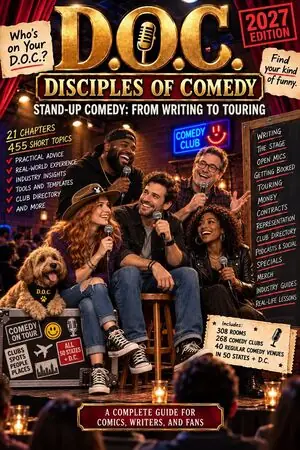
The book takes podcasting from the comic’s side: whether you need one at all, the upside and the downside, protecting your material, guesting on other comics’ shows, and the podcast as its own business, with clips, socials and the email list that sells tickets. It runs to over 1,000 pages and over 450 topics, fully illustrated.
Updated 8 October 2026 · platform steps and show descriptions as of 8 October 2026. Menus, requirements and free plans change, so check the platform’s own help as you go.